> ## Documentation Index
> Fetch the complete documentation index at: https://trydent.mintlify.site/llms.txt
> Use this file to discover all available pages before exploring further.
# Features
Trydent has various features that make it easy and intuitive to use. Here are some of the highlights:
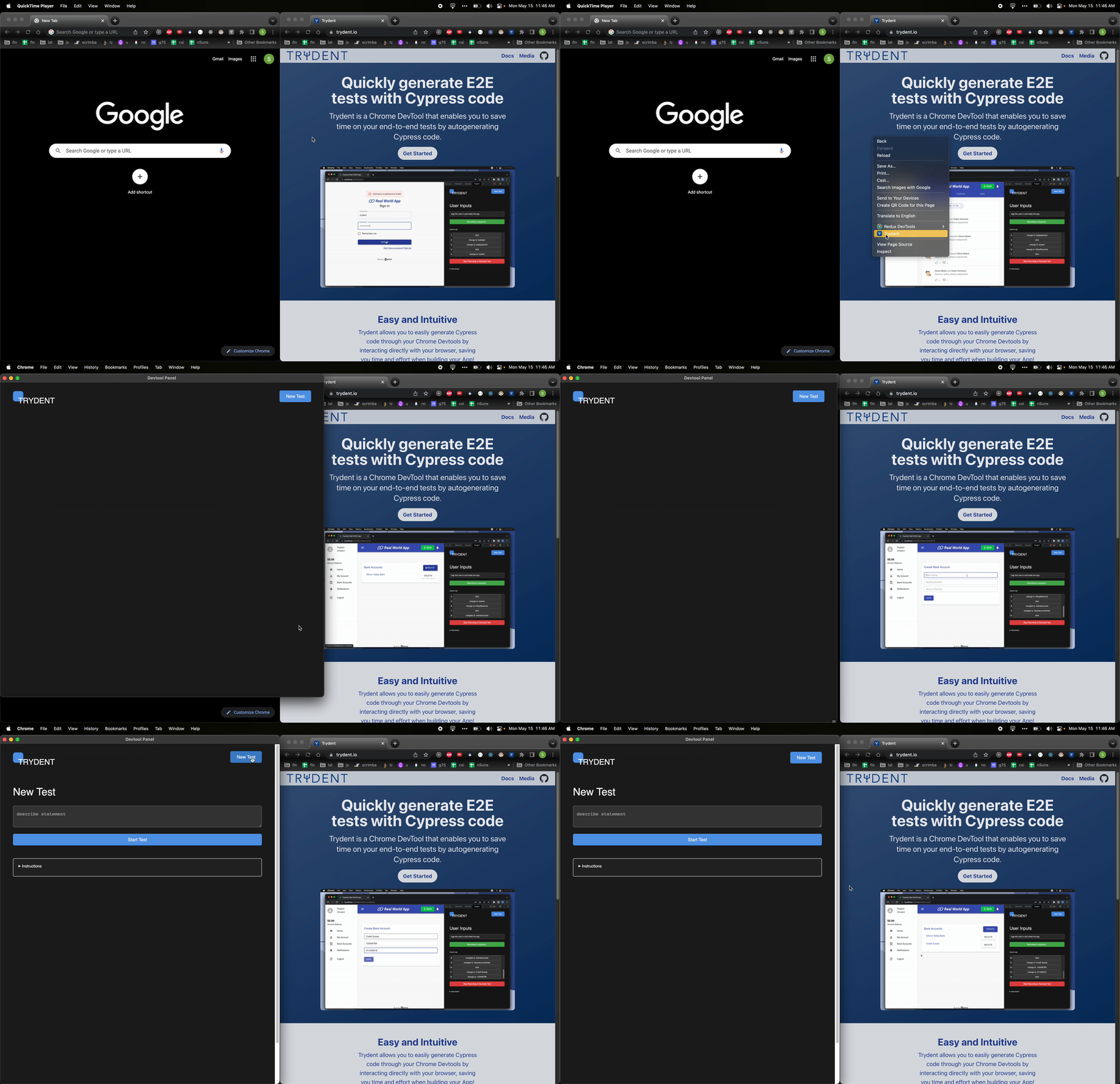
## Right Click to Open
Users can right click to open the Trydent as a new window
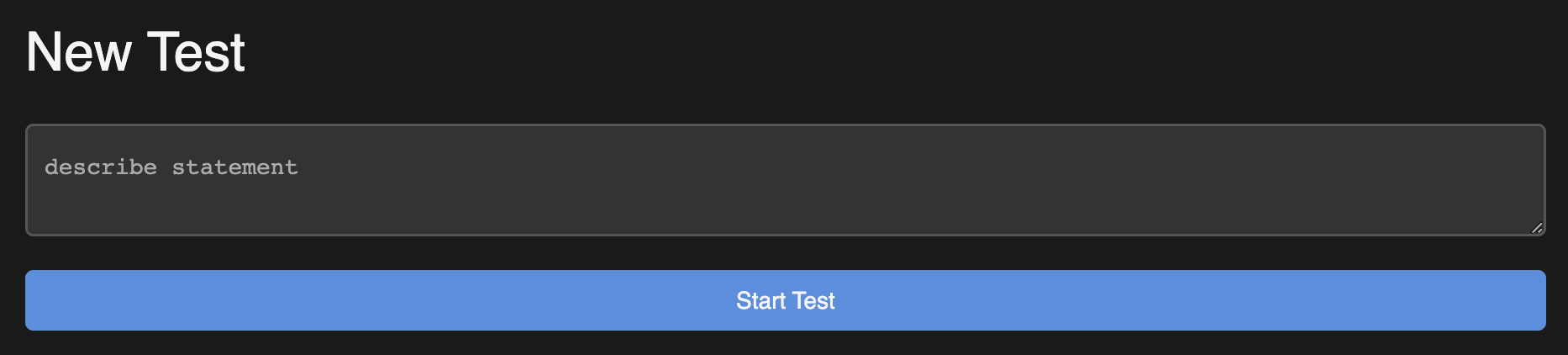
 ## Describe and It Statement
Trydent uses the `describe` and `it` statement to organize your tests. This makes it easy to understand what the test is doing and what the expected outcome is.
## Describe and It Statement
Trydent uses the `describe` and `it` statement to organize your tests. This makes it easy to understand what the test is doing and what the expected outcome is.
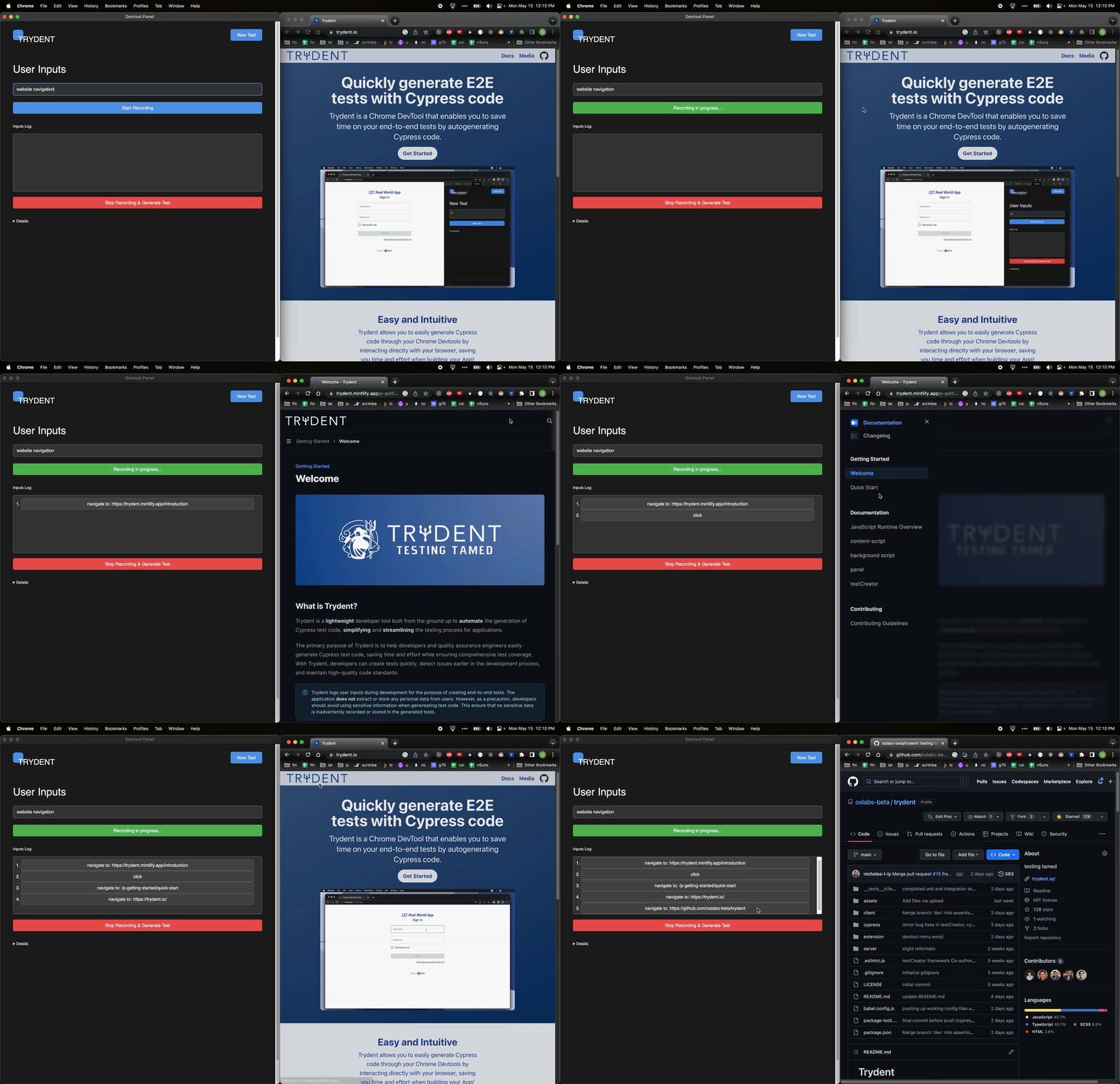
 ## Clean Input Logging
Trydent logs the user inputs in a clean and easy to read format. This makes it easy to understand what the user is doing and what the expected outcome is.
## Clean Input Logging
Trydent logs the user inputs in a clean and easy to read format. This makes it easy to understand what the user is doing and what the expected outcome is.
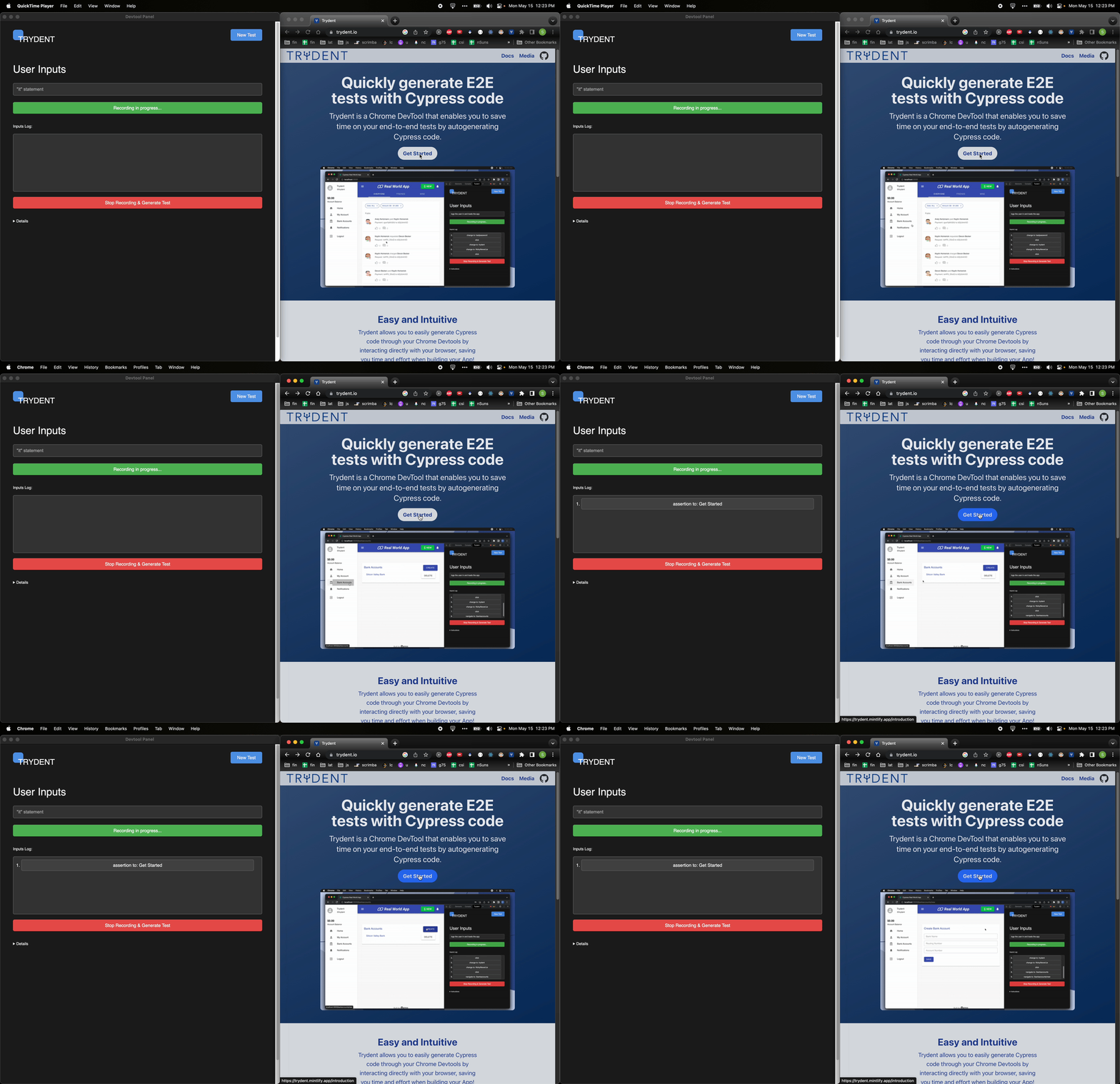
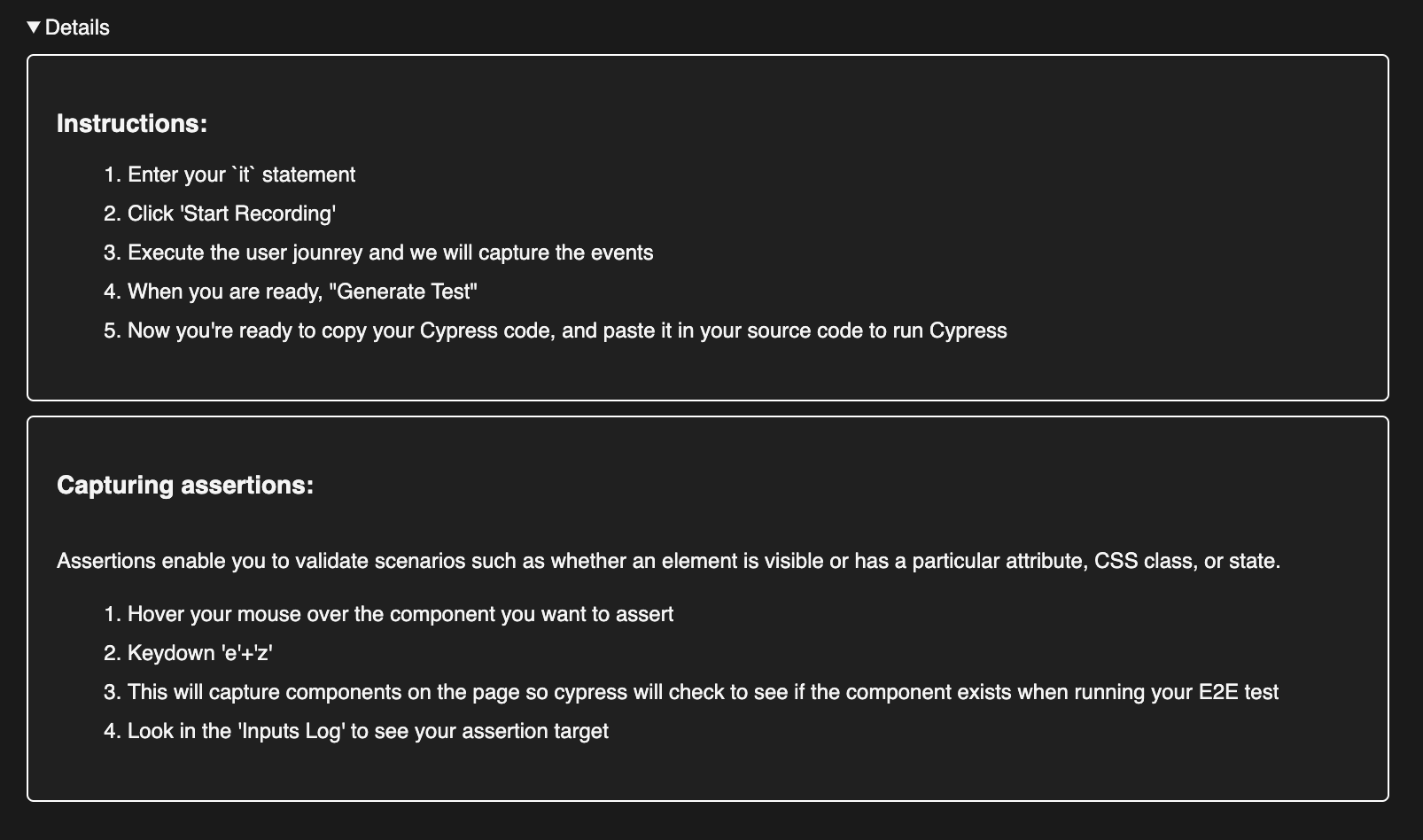
 ## Clean Assertion Mode
Trydent supports assertion mode to validate the state of the DOM at any point during your test.
Hover over the component to assert and keydown "**e**" + "**z**" simultaneously.
## Clean Assertion Mode
Trydent supports assertion mode to validate the state of the DOM at any point during your test.
Hover over the component to assert and keydown "**e**" + "**z**" simultaneously.
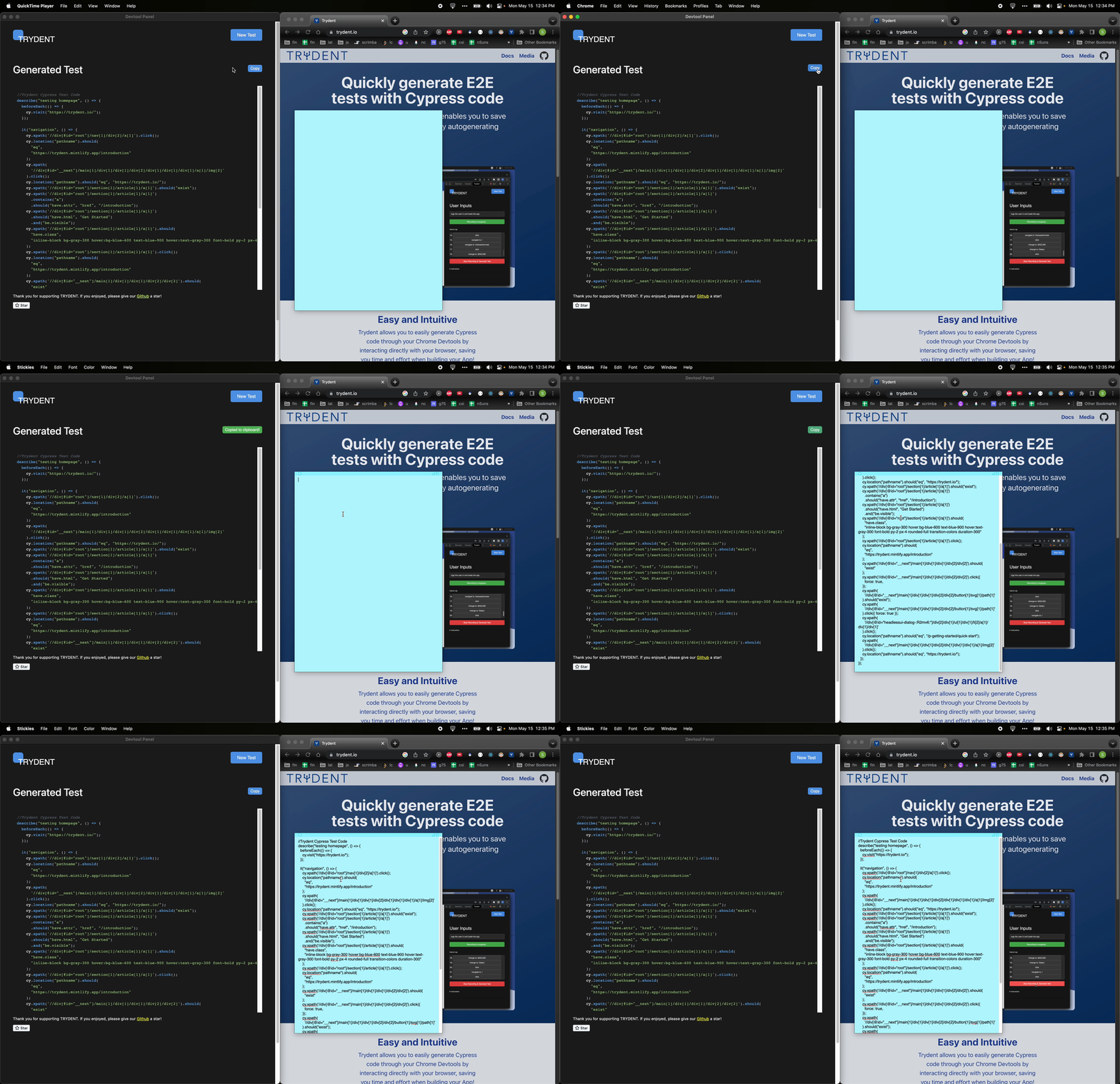
 ## Easy Copy Functionality
Copying generated Cypress code is as easy as a click of a button
## Easy Copy Functionality
Copying generated Cypress code is as easy as a click of a button
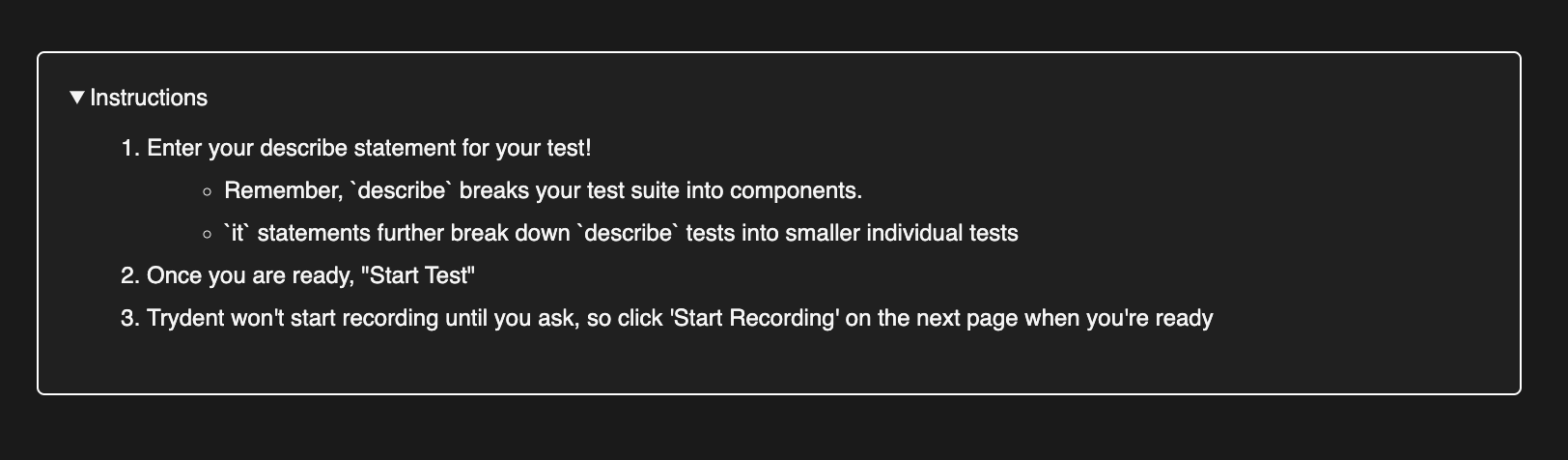
 ## Descriptions to Help Users
Trydent UI includes a dropdown that provides descriptions of the different features to help users understand what to do.
## Descriptions to Help Users
Trydent UI includes a dropdown that provides descriptions of the different features to help users understand what to do.
 Use Trydent to make your Cypress tests easier to write and understand today!